1Load 'Bracketing' App
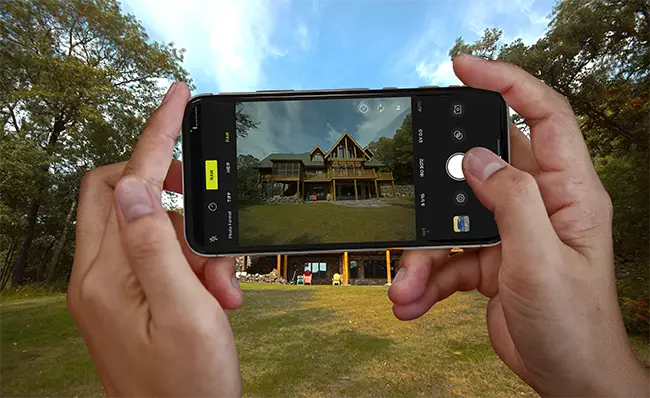
The secret to creating professional real estate images is rapid-burst exposure-bracketing. This is the only way to have crisp and clear outdoor window views while maintaining a bright interior scene.
Rapid-Burst: Several photos taken upon one press of the shutter button
Exposure-Bracketing: Multiple images of the same view at different exposure levels
HDR Merging: The process of merging the best areas of different exposure images
This feature is not yet available with any standard smartphone camera app. It required loading a cheap/free camera app for iOS or Android devices. (Some devices offer an HDR option - but this is only simulated and not true HDR. It will not handle the window pull required for real estate photography). With an rapid-burst exposure-bracketing app with each press of the shutter button you will create a photo-set with all image-data required to HDR-Merge professional real estate images.
App Instructions Below:




Four Easy Steps
1.1 Get in Touch
Contact ProPicFix and let us know your shooting schedule. Include the type of property, the expected day of the photo shoot, and any questions you have about our services. We’ll quickly reply with a personalized upload link for your photos.
1.2 Capture Your Photos
Take your photos using our recommended technique:
- Download a rapid-burst exposure-bracketing app on your smartphone (easy tutorials are available on our website).
- Follow our professional real estate photography tips and composition guides for the best results.
1.3 Select and Upload Your Images
Review your photos and choose the best sets you want professionally edited. Using the upload link we provided, you can:
- Upload directly from your mobile device, or
- Upload from a folder on your desktop or laptop.
1.4 Receive Your Edited Photos
Once processing is complete, you’ll receive an email with a secure download link. You’ll get both:
- Full-size, high-resolution print versions
- Web-optimized versions (perfect for online listings)
- Payment: We accept Credit Card, PayPal, and Venmo for quick and easy payment.